
AI Tattoo Design: ArtReel
Smart AI DEVArt & Design
4.514.00 Reviews
- Version
- 1.1.1
- Installs
- 100.00K
- Age Rating
- Everyone
Screenshots
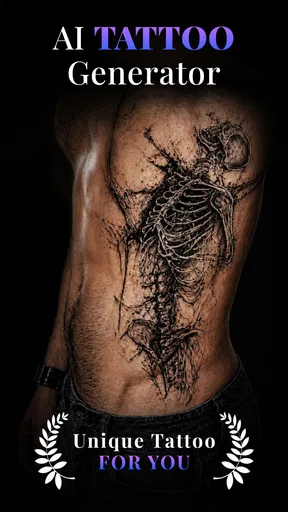
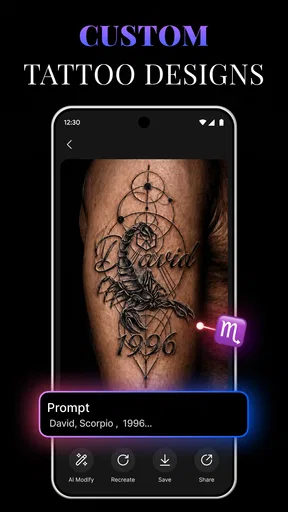
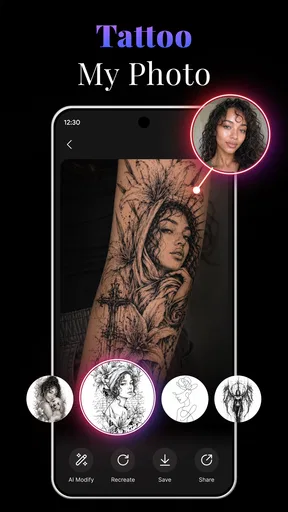
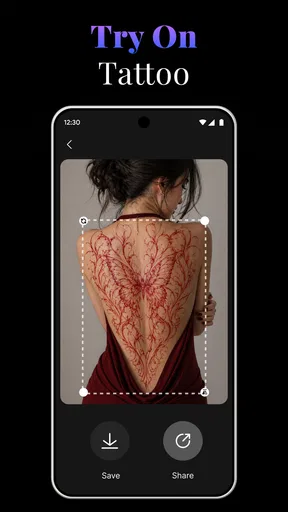
Our Review of AI Tattoo Design: ArtReel
 Analysis by Appyee
When I want tattoo inspiration, I usually begin with a vague idea rather than a finished drawing: a symbol, an animal, a mood, or a placement on the body. AI Tattoo Design: ArtReel is aimed at that exact starting point. It is a free art and design app from Smart AI DEV that turns a rough concept into tattoo ideas, making it easier to move from “I want something meaningful” to a visual reference I can actually discuss with a tattoo artist.
After spending time with it, I see the app less as a replacement for a professional tattoo designer and more as a fast sketching partner. Its value is in opening up possibilities quickly. Instead of searching through endless image results or trying to explain an abstract thought with words alone, I can use an AI-generated concept as a conversation starter. That distinction matters, because the first image is rarely the final tattoo I would want on my skin.
From a vague idea to a usable tattoo reference
The most useful way to approach ArtReel is to arrive with a starting condition. I might have a phrase, a personal memory, a preferred visual style, or simply a location such as the forearm or shoulder. The app’s store summary focuses on creating custom ink art and tattoo ideas quickly, and that speed is the main attraction. It encourages experimentation before I commit to a direction.
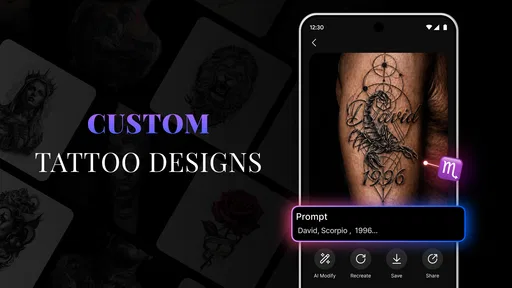
I found that a short but specific concept works better than a single broad word. “Wolf” is likely to produce an ordinary starting point, while an idea such as a quiet wolf in profile, surrounded by thin botanical lines, gives the generator more creative guidance. I also get better results when I separate the subject from the mood and visual treatment. For example, I can think in layers: subject first, composition second, style third, and details last.
This is one of the app’s less obvious strengths. It is not only useful for people who already know exactly what tattoo they want. It can also help someone discover what they do not want. Generating several directions around the same theme makes unwanted choices visible: perhaps a design feels too heavy, too decorative, too literal, or too crowded for the intended placement.
That exploratory role makes it especially suitable for first-time tattoo clients. A person who has never commissioned custom artwork may struggle to describe the difference between minimalist, illustrative, ornamental, and bold graphic work. Seeing alternatives gives that person a visual vocabulary. I would still treat each output as a concept rather than a stencil, but it can make the first consultation far more productive.
Preparing the prompt before generating
My practical advice is to decide what must remain in the idea and what can change. If the tattoo represents a specific person, date, animal, or object, I would keep that central element stable while varying the surrounding style. If the placement is important, I would mention the shape of the area in the description and then judge every result against the body location rather than against a blank screen.
There is also a useful trade-off between detail and flexibility. A highly detailed request can produce a more directed concept, but it may also lock the image into a composition that does not translate well to skin. A simpler prompt leaves more room for interpretation and often gives me better raw material for a tattoo artist to redraw. I prefer to use ArtReel to find the balance between recognizable subject matter and a design that could plausibly be simplified.
Because this is a free app, it is easy to begin without treating every generation as a precious final attempt. That changes the workflow in a good way. I can compare ideas instead of becoming attached to the first attractive image. The app’s Everyone content rating also makes it broadly approachable for general design exploration, although the decision to get a tattoo itself naturally calls for mature judgment and professional advice.
Reading the generated image with a tattoo artist’s eye
Once an image appears, I do not judge it only by whether it looks impressive on a phone. I check whether the main silhouette is clear, whether small details would survive at the intended size, and whether the composition has enough breathing room. AI artwork can look polished while still being impractical as tattoo reference material. Fine textures, tiny lettering, and crowded overlaps deserve particular caution.
This is where ArtReel becomes part of a handoff rather than the end of the process. The image can move from my screen to a conversation with a tattoo artist, but the artist still needs to reinterpret it. A professional may adjust line weight, remove fragile details, correct anatomy, reshape the design for the body, and create a proper stencil. I would never ask a studio to copy an AI result blindly, especially for a permanent piece.
A useful workflow is to save the strongest concept and then write down what I like about it in plain language. Perhaps I like the angle of the subject, the open negative space, or the way the decorative elements frame the central symbol. Separating those choices from the image itself gives the artist something more useful than “make it exactly like this.” It also protects the design from becoming a rigid imitation of an image that was never designed for skin.
Comparing it with ordinary tattoo inspiration searches
The usual alternative is browsing social media, image searches, tattoo portfolios, or design boards. Those sources are better when I want to study real healed work, established artists, and proven approaches to placement. They show how ink behaves outside a perfect digital presentation. ArtReel is better at the opposite task: creating a fresh combination from my own starting idea without forcing me to search through someone else’s finished tattoo.
That difference makes the app complementary rather than superior. Search-based inspiration is stronger for checking realism, line aging, scale, and an artist’s actual skill. AI generation is stronger for rapid brainstorming, especially when my idea is unusual or personal. I would use ArtReel first to explore a concept, then move to artist portfolios and an in-person consultation before making a decision.
Compared with drawing manually in a general art application, ArtReel also reduces the barrier to entry. I do not need to know how to build a composition from an empty canvas just to see whether an idea has potential. On the other hand, a conventional drawing app gives me more direct control over every line and edit. Someone who already illustrates or wants exact geometry may find manual tools more suitable for the later stages.
What happens during the handoff
The handoff from generated concept to personal design is where I get the most practical value. I can show the image to a tattoo artist, explain which elements are essential, and invite changes based on anatomy, placement, scale, and technique. This turns a private idea into a shared design brief. It is also a good test of whether I genuinely like the concept or merely enjoyed the novelty of seeing it appear quickly.
For an everyday example, imagine someone planning a small forearm tattoo connected to a hiking trip. They might begin with a mountain outline, a particular flower, and a preference for restrained black linework. ArtReel can help them compare a clean emblem, a more organic landscape, and a design where the flower becomes part of the mountain silhouette. At the studio, the artist can then decide which version will remain legible at a small size and refine it for the curve of the arm.
Another realistic use is preparing for a consultation when the client has too many disconnected references. Instead of bringing ten unrelated screenshots, I can use the app to combine the common ideas into a few visual directions. That does not guarantee a perfect result, but it makes the meeting less scattered. The artist can quickly see whether I am drawn to symmetry, open space, heavy contrast, natural forms, or a particular kind of lettering.
I would also keep the original concept notes alongside the image. AI-generated visuals can contain accidental details that look appealing but have no personal meaning. If I later ask for revisions, knowing which parts were intentional prevents those accidents from quietly becoming permanent features. This small habit makes the app more useful as a design tool and less useful as a source of random decoration.
Where the workflow becomes less comfortable
The main friction is that speed can create false confidence. A generated tattoo may look finished because it has strong lighting, texture, and visual polish, but tattoos are judged under very different conditions. Skin moves, ages, stretches, and varies from person to person. A design that reads beautifully as a digital image may need substantial simplification before it becomes responsible tattoo reference material.
Lettering is another area where I would slow down. If the concept includes a name, quotation, or meaningful wording, I would verify every character independently and ask a professional to rebuild it. I would not assume that attractive text in an AI image is reliable enough for permanent use. The same caution applies to symbols, cultural motifs, dates, and anything whose exact form carries personal significance.
There is also a creative limitation: generated ideas can drift toward familiar visual patterns. If I use broad prompts, the results may feel attractive but generic. The way around that is not simply adding more adjectives. I get more distinctive outcomes by supplying a meaningful subject, a clear emotional direction, and one or two design constraints, then rejecting anything that feels like decoration without purpose.
In-app purchases range from $4.99 to $79.99 per item, so “free” should be understood as a low-barrier way to start rather than a promise that every part of the experience is cost-free. I would check the purchase screen carefully before committing, particularly if I only need a handful of ideas. For occasional inspiration, the app may be easy to try; for intensive experimentation, the possible cost becomes part of the decision.
The current version is 1.1.1, and the app requires Android 6.0 or later. Those details make it accessible to many Android users, including people with older compatible devices. Still, device compatibility is not the same as a smooth creative experience. Generating visual concepts is more enjoyable on a screen where I can inspect line quality and compare alternatives comfortably, rather than relying on a cramped display.
Who will get the most from ArtReel
I would recommend it to someone who has a tattoo idea but cannot yet visualize it, someone preparing for a consultation, or anyone exploring several styles before choosing a direction. It is also useful for artists or design-minded users who want quick prompts for personal brainstorming, provided they treat the output as rough creative material and apply their own judgment.
The app is less suitable for a person who expects a finished, professionally prepared stencil with exact anatomy, dependable lettering, or guaranteed originality. It is also not the best first choice for someone who already has a precise drawing and needs careful manual editing. In those situations, a tattoo artist, vector editor, or conventional illustration tool offers more control and accountability.
I would skip it if I were looking for evidence of how a design will heal, how a particular artist handles skin, or how a tattoo looks after years of wear. ArtReel cannot replace viewing real portfolios and healed examples. Its job is earlier in the process: helping an idea become visible enough to discuss.
My overall experience with the app
The app has earned a 4.6 average from around 994 ratings, with over 100 thousand installs, which fits my impression that it is designed for quick, approachable experimentation rather than a specialist studio workflow. Smart AI DEV has positioned it clearly within art and design, and the focused purpose helps it feel more direct than opening a broad image editor with no starting point.
What I like most is the way it reduces the awkward gap between imagination and explanation. I can begin with a loose thought, explore several visual routes, and arrive at a reference that gives a professional something concrete to improve. The strongest results come when I remain involved: refining the idea, questioning unnecessary detail, and treating the generated image as a draft.
What I like least is the temptation to confuse visual polish with tattoo readiness. The app can start a design conversation, but it cannot take responsibility for the final piece. Cost can also become a consideration if experimentation leads into multiple in-app purchases, so I would decide in advance how much I am willing to spend on inspiration.
For me, the right outcome is not the most dramatic image ArtReel produces. It is the concept that survives a practical conversation about placement, size, linework, meaning, and long-term wear. If I can take a generated idea to an artist and explain exactly what should stay, what should change, and what should be removed, the app has done its job.
My recommendation is to use ArtReel as the first step in a thoughtful tattoo workflow, not as the final authority. It is free to begin, approachable for general audiences, and genuinely helpful when I need visual direction quickly. I would generate several concepts, keep the strongest one, verify meaningful details, and then hand it to a qualified tattoo artist for professional redesign. Used that way, AI Tattoo Design: ArtReel is a practical source of ideas rather than a shortcut around the parts of tattoo design that require human skill.
Verdict
Strengths of AI Tattoo Design: ArtReel
- Generates many tattoo concepts quickly from simple text prompts.
- Useful for exploring styles before visiting a professional tattoo artist.
- Can help visualize unusual combinations of symbols, colors, and themes.
- Convenient for collecting inspiration directly on a mobile device.
- Suitable for users with little drawing experience or design software knowledge.
Limitations of AI Tattoo Design: ArtReel
- AI results may include distorted details or awkward tattoo lettering.
- Generated designs may look generic rather than truly original.
- Some features or creations may require in-app purchases or credits.
- Results should be refined by a tattoo artist for proper skin placement.
- Privacy terms should be checked before uploading personal images or ideas.
Other Releases by Smart AI DEV
View All
AI Photo Video Maker, Enhancer
Photography4.7

AI Home Design: Interior DecAI
Art & Design4.6

AI Photo Editor - BgMaster™
Photography4.6

Logo Maker - AI Art Design
Art & Design4.4
Similar Picks in This Category
View All
Canva: AI Photo & Video Editor
Canva4.8

PENUP – Drawing-sharing SNS
Samsung Electronics Co., Ltd.4.5

Crafto
Kutumb App4.6

Sketchbook
Sketchbook4.1

ibis Paint X
ibis inc.4.5

Adobe Express: AI Photo, Video
Adobe4.6
Frequently Asked Questions
What is AI Tattoo Design: ArtReel, and how does it work?
AI Tattoo Design: ArtReel is a tattoo-idea generator that uses artificial intelligence to create visual concepts from your descriptions. You can usually enter a theme, symbol, style, or placement preference, then let the app produce design suggestions. It is useful for exploring ideas quickly, although the generated artwork should be treated as inspiration rather than a finished tattoo stencil or guaranteed final design.
Can I create a tattoo design in a specific style, size, or body placement?
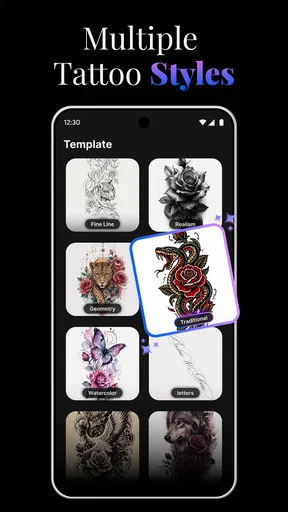
The app is designed to help users experiment with different tattoo concepts, including styles such as minimalist, traditional, realism, lettering, tribal, or abstract designs. Your results depend on how clearly you describe the request and which controls the current version provides. Placement and size may be suggested visually, but you should still ask a professional tattoo artist to adapt the design to your body and skin.
Are the AI-generated tattoo designs safe to use directly with a tattoo artist?
AI Tattoo Design: ArtReel can be a helpful starting point, but its images should not normally be used unchanged as final tattoo artwork. AI results may contain distorted details, uneven lines, incorrect lettering, or elements that are difficult to tattoo. Before booking an appointment, show the concept to an experienced artist and request a customized stencil that considers scale, anatomy, line weight, shading, and long-term readability.
Is AI Tattoo Design: ArtReel free to download and use?
The application may be available to download without an upfront charge, but some features can be restricted by advertisements, credits, subscriptions, or in-app purchases. Pricing and access can vary according to the platform, region, and current version. Before generating many designs or starting a trial, review the store listing and subscription terms carefully, especially the renewal conditions and cancellation policy.
Does the app protect my photos and personal information?
If you upload a body photo or another image for tattoo visualization, the app may process that content through its own systems or third-party AI services. Before using this feature, read the privacy policy and check what data is collected, how long images are stored, and whether content is used for improving services. Avoid uploading identifiable or sensitive photos unless you are comfortable with the stated data practices.
